

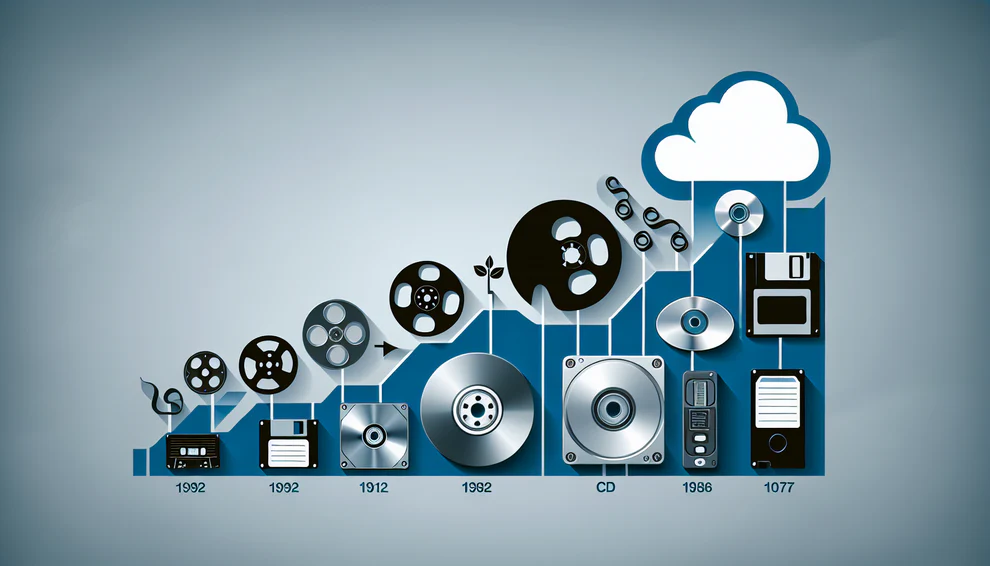
Every cloud archive has a warehouse behind it. Tape Storage Technology still matters because the cheapest data is often the data nobody plans to touch soon, and tape handles that job with a patience that disk and flash cannot match at the same cost. The surprise is not that tape survived. The surprise is that cloud archive storage copied much of its logic: slower access, lower storage price, long retention, and careful movement between tiers. For readers who follow digital infrastructure trends, this is one of those plain, unglamorous systems that keeps the modern internet affordable. IBM’s Deep Archive is open about placing data on tape behind an S3-style interface, while AWS, Azure, and Google sell archive classes aimed at the same cold-data problem, often as replacements for customer-run tape rooms. The public message is clear: not every byte deserves premium storage.
Why Tape Storage Technology Still Fits the Cloud Archive Business
Cloud vendors do not win archive customers by making every file feel instant. They win by sorting data honestly. A photo opened every week belongs on fast storage. A legal record kept for seven years does not. The trick is to make that old record cheap, protected, and retrievable on terms the customer accepts. Archive storage is a contract between time and money: the customer gives up speed, and the provider gives back a lower monthly rate. That is where tape thinking keeps showing up, even when the customer sees only an API, a dashboard, and a monthly bill.
Archive tiers are built around patience
AWS says S3 Glacier storage classes are made for archiving, with Deep Archive aimed at data kept for years and accessed once or twice a year. Google Cloud’s Archive storage is also aimed at data used less than once per year and carries a 365-day minimum storage duration. Azure Archive Storage describes itself as low-cost storage for rarely accessed data with flexible latency. These are not hot storage promises. They are business rules for cold data storage.
That matters for a U.S. hospital chain, a city agency, or a film studio in Atlanta holding raw footage after a project closes. The data may carry legal, tax, research, or reuse value, but nobody wants to keep paying hot-tier rates for it. In many companies, that bill is invisible until finance asks why old projects cost as much as active ones. Patience becomes a budget tool. You accept a wait because the file is sleeping, not working. Lifecycle rules make this practical: after a project closes, data can move down through storage classes without a person dragging folders around.
The non-obvious part is that slower access can be a sign of good design. If a cloud archive lets you treat decade-old logs like yesterday’s production files, someone is paying for the waste. Archive tiers put friction in the right place. They make the storage system ask, “Do you mean it?” before moving old data back into the expensive lane. That pause also helps teams notice when a restore request is too broad, too risky, or tied to a broken retention policy.
The old robot got a new front door
A tape library used to feel like a room full of gear only backup admins understood. Today, that same idea can sit behind object storage commands. IBM Storage Deep Archive presents an S3 interface and states that data placement is on tape, so an application can talk in cloud language while the back end behaves like an archive library. IBM also lists configurations reaching up to 61 PB in a standard rack footprint.
That shift is easy to miss. Tape did not need to become fashionable again. It needed a cleaner front door. Developers want buckets, policies, lifecycle rules, and familiar calls. Operators want low power draw, dense media, and an offline layer that is harder to corrupt from a live network. Both groups get closer to what they need when tape is hidden behind software rather than exposed as a daily chore.
This is why the “cloud killed tape” story always felt too neat. Cloud archive storage did kill many messy tape chores for customers, such as shipping cartridges and tracking labels by hand. Virtual tape libraries also taught enterprises to separate the backup software experience from the physical medium beneath it. But deep inside the archive business, the old strengths stayed useful. The interface changed. The economics did not.
The Economics That Keep Magnetic Tape in the Rack
The strongest argument for tape is not nostalgia. It is the shape of the cost curve. Disk and flash are brilliant when data is active. They are bad beds for data that may sleep for years. They spin, draw power, need enclosures, and sit inside failure models built around active hardware. Tape is different. Once written and stored, a cartridge does not need to keep moving to keep holding data. That changes the finance meeting, because the archive cost is tied less to running machines and more to media, libraries, process, and time.
Power matters more than speed when data sleeps
IBM markets tape as a low-cost tier for archiving cold data and points to sustainability benefits tied to long product life and lower operational carbon. Oracle’s StorageTek page makes a similar case for petabyte archives, saying tape libraries can reduce energy use compared with disk-only archives and can support cloud environments. The point is simple: if you keep a huge amount of rarely opened data online on spinning media, your power bill becomes part of every file.
Think about a regional bank in Ohio that must retain scanned loan files, audit trails, and voice recordings. The archive grows each month, but only a thin slice is restored. That imbalance is exactly where tape earns its seat at the planning table, especially when retention clocks run longer than hardware refresh cycles. The bank does not need every old record on fast storage. It needs proof the record exists, a clear chain of custody, and a path to restore it when auditors ask.
The counterintuitive insight is that the slow medium can be the greener medium. Speed looks modern, but idle speed is often waste. A cartridge on a shelf is not racing. It is waiting. At archive scale, waiting well is a feature. That does not mean tape can ignore facility controls, humidity, handling, or replacement plans. It means the energy profile fits the job better when the job is measured in years.
Capacity growth changes the math one cartridge at a time
Modern LTO is not the same tape people remember from office closets. The LTO program describes the format as an open tape standard developed by HPE, IBM, and Quantum. LTO-10 supports up to 40 TB native capacity and 100 TB compressed capacity, according to the official LTO-10 page. That turns a small cartridge into a serious unit of archive planning.
Capacity does more than save shelf space. It cuts handling, robotics movement, slot pressure, migration effort, and the number of items a team must track. In a media company with petabytes of 4K and 8K project files, fewer cartridges can mean fewer chances for human error. It also means a smaller room can hold a longer business memory. This is why capacity gains matter even when restore speed does not change much; fewer moving parts make the archive easier to trust.
Still, tape is not magic. Drives cost money. Migration between generations must be planned. Teams need policies for verification, refresh cycles, encryption, and restore drills. Barcodes, catalogs, and media health checks matter as much as the cartridges themselves. The win comes when those costs are spread across enough data and enough time. Below a certain scale, cloud archive storage may beat ownership. Above it, magnetic tape backup can become hard to ignore.
Where Tape Beats Disk, Flash, and Pure Cloud
Every storage medium has a personality. Flash is fast and expensive. Disk is familiar and flexible. Cloud storage is easy to start and easy to expand from a billing page. Tape is stubborn. That stubbornness can be annoying when you need instant restore, but it becomes useful when your biggest fear is deletion, ransomware, or runaway cost. Archive planning gets better when teams stop asking for one perfect medium and start assigning jobs to the medium that behaves best under stress.
Air gaps make ransomware less comfortable
Tape’s offline nature is one reason it still gets attention in backup design. Oracle describes tape libraries as a way to use offline storage to protect data from cyberattacks, and IBM lists cyber resilience as one of tape’s selling points. A cartridge that is not mounted and not writable from the network gives attackers fewer paths. It does not replace security. It gives your recovery plan a harder floor.
Picture a school district in Texas hit by ransomware in the middle of registration season. Fast snapshots may help, but attackers often hunt those first. Replicated cloud data can also copy bad changes if policies are weak. A separated tape copy, tested and cataloged, can become the copy nobody touched.
The non-obvious part is that inconvenience can protect you. A system that takes extra steps to overwrite old archives may feel clumsy on a calm day. During an attack, that same clumsiness can save the business. Good archive design is not always about removing friction. Sometimes it is about putting friction between panic and permanent loss. The hard part is documenting that friction so staff know how to restore cleanly when the pressure is high.
Restore time is a feature when the data is cold
Cold archives should not be judged by hot-storage habits. AWS says Deep Archive is designed for long-term retention where data may be accessed once or twice a year. Google’s Archive tier is framed for data planned to be accessed less than once per year. Those patterns fit records, research sets, camera originals, compliance exports, and old backups. They do not fit a checkout database.
This is where many teams make a bad comparison. They ask whether tape is slower than disk. Yes. That is not the real question. The real question is whether the restore window matches the business event. A tax audit, eDiscovery request, or documentary re-edit can wait hours if the archive is priced for years.
A smart restore plan separates pain from danger. Waiting eight or twelve hours for a dormant file may be annoying. Losing it forever is danger. Paying premium storage rates for every dormant file is slow financial damage. Tape survives because it gives teams a third choice: accept delay, keep the data, and lower the carrying cost. That trade only works when leaders write it down, train users on it, and stop selling deep archives as if they were normal file shares.
How U.S. Teams Should Decide What Belongs on Tape
The best archive plan starts with a blunt question: what will this data do next? Not all old files deserve the same home. Some old files still feed analytics. Some must stay searchable for legal review. Some only need to prove that the business kept them. When you sort by future use instead of by age alone, the storage decision gets clearer. Age is a clue, not a policy.
Match the archive to the data’s future
A biotech lab in Boston may keep instrument output for repeat analysis. A news station in Phoenix may hold years of video because a local story can become national later. A county office may keep scanned permits because state rules demand retention. These look similar in a storage report, but they behave differently. The lab may need batches restored for new models. The station may need preview access. The county may need proof and rare retrieval.
Cold data storage works best when each set has a named reason to exist. A simple classification pass can catch most mistakes before money is spent:
- Active data needs fast access and frequent change.
- Warm data is used sometimes, but not daily.
- Deep archive data is retained for rare restore.
- Legal-hold data needs stricter controls.
- Expired data should leave the system.
The cheapest byte is still the one you do not store.
Magnetic tape backup also needs honest recovery goals. A team that promises instant restore from a deep archive is setting itself up for angry calls. A team that labels the archive as “hours, not seconds” gives users a fair deal. Put that promise in policy, onboarding notes, and disaster recovery runbooks. Expectation management is part of storage design, not a help-desk detail.
Build a hybrid plan before the bill shocks you
Many U.S. companies now use a hybrid pattern: hot cloud or disk for active work, lower-cost object storage for warm data, and deep archive for old but valuable sets. Microsoft even publishes guidance for migrating data from tape media into Azure storage services, which shows how common the bridge between old tape estates and cloud archives has become.
That bridge should be planned before the invoices sting. Retrieval fees, minimum retention periods, early deletion charges, egress costs, media migration, and staff time all belong in the model. A cheap monthly storage line can look great until a legal matter forces a large restore. On the other side, owning a tape library can look cheap until you count skilled labor, refresh cycles, off-site copies, and yearly restore tests. Both sides have hidden costs; they hide in different places.
The quiet answer is not “cloud or tape.” It is tiering. Use cloud backup planning guide thinking for restore needs, retention windows, and risk. Use data center energy cost breakdown thinking for power and space. Then put each data class where its future behavior belongs. Review the plan every year, because archives drift. Teams change names, apps shut down, and nobody remembers why a bucket exists. That is how tape stops being old tech and becomes a calm part of the stack.
Conclusion
Tape never needed to beat flash, disk, or public cloud at their own jobs. Its job is narrower and more patient: hold large amounts of information for long periods without pretending every byte is urgent. That is why the strongest archive systems still borrow from tape’s habits, even when users see an object bucket instead of a cartridge. Tape Storage Technology remains relevant because the world keeps making cold data faster than it can make cheap, low-risk places to keep it. The better question for U.S. teams is not whether tape feels modern. It is whether their archive design matches the way their data ages. Store the living data where it can move. Store the sleeping data where it can rest. Then test the restore path before the day you need it.
Frequently Asked Questions
Do major cloud providers still use tape for archive storage?
Some providers are open about tape-backed archive systems, while others do not disclose the exact media behind their public archive tiers. IBM states that its Deep Archive places data on tape through an S3-style interface. AWS, Azure, and Google sell archive classes aimed at similar cold-retention needs.
Why is tape still cheaper for long-term data storage?
Tape can hold large data sets without keeping every cartridge powered like active disk. The savings grow when data is rarely restored and retained for years. Hardware, staff, and migration costs still matter, so tape makes the most sense at larger archive sizes.
Is magnetic tape backup safe against ransomware?
It can help because offline cartridges are harder for attackers to rewrite from a compromised network. Safety still depends on encryption, access controls, clean backup jobs, restore testing, and careful cataloging. Tape is a strong layer, not a full security plan by itself.
What kind of data belongs in cold archives?
Closed projects, compliance records, old backups, research data, raw media files, audit logs, and legal-retention sets are common fits. The key test is access frequency. If users need the file every day, it belongs somewhere faster.
How slow is tape compared with cloud archive storage?
Tape restores often involve queueing, mounting, reading, and staging data, so the wait can be hours. Deep cloud archive tiers also trade speed for low storage cost. For dormant records, that delay may be acceptable if the policy is clear.
Does LTO tape still improve in capacity?
Yes. The LTO roadmap keeps moving, and LTO-10 supports high-capacity cartridges for enterprise archives. Capacity growth matters because it reduces cartridge counts, floor space, handling, and long-term tracking work across petabyte-scale archives.
Should a small business buy tape or use cloud archive storage?
Most small businesses should start with cloud archive storage because it avoids drive purchases, media handling, and specialized admin work. Tape becomes more attractive when data volume is large, retention is long, restores are rare, and staff can manage the process well.
What is the biggest mistake companies make with tape archives?
They treat the archive as a dump instead of a managed system. A useful archive needs retention rules, ownership, encryption, indexing, test restores, and deletion policies. Without those basics, cheap storage turns into a confusing pile of files nobody trusts.